
Overview and findings
Clients, distribution points, content and servers — with findings by severity and a clear reason.
PulseKite is a control center for Microsoft Configuration Manager that runs on your site server: clients, distribution points, security updates, operating systems and user experience — in English and Hebrew, on desktop, tablet and phone.
Numbers and screens: the PulseKite demo with data from Contoso, a fictional company.
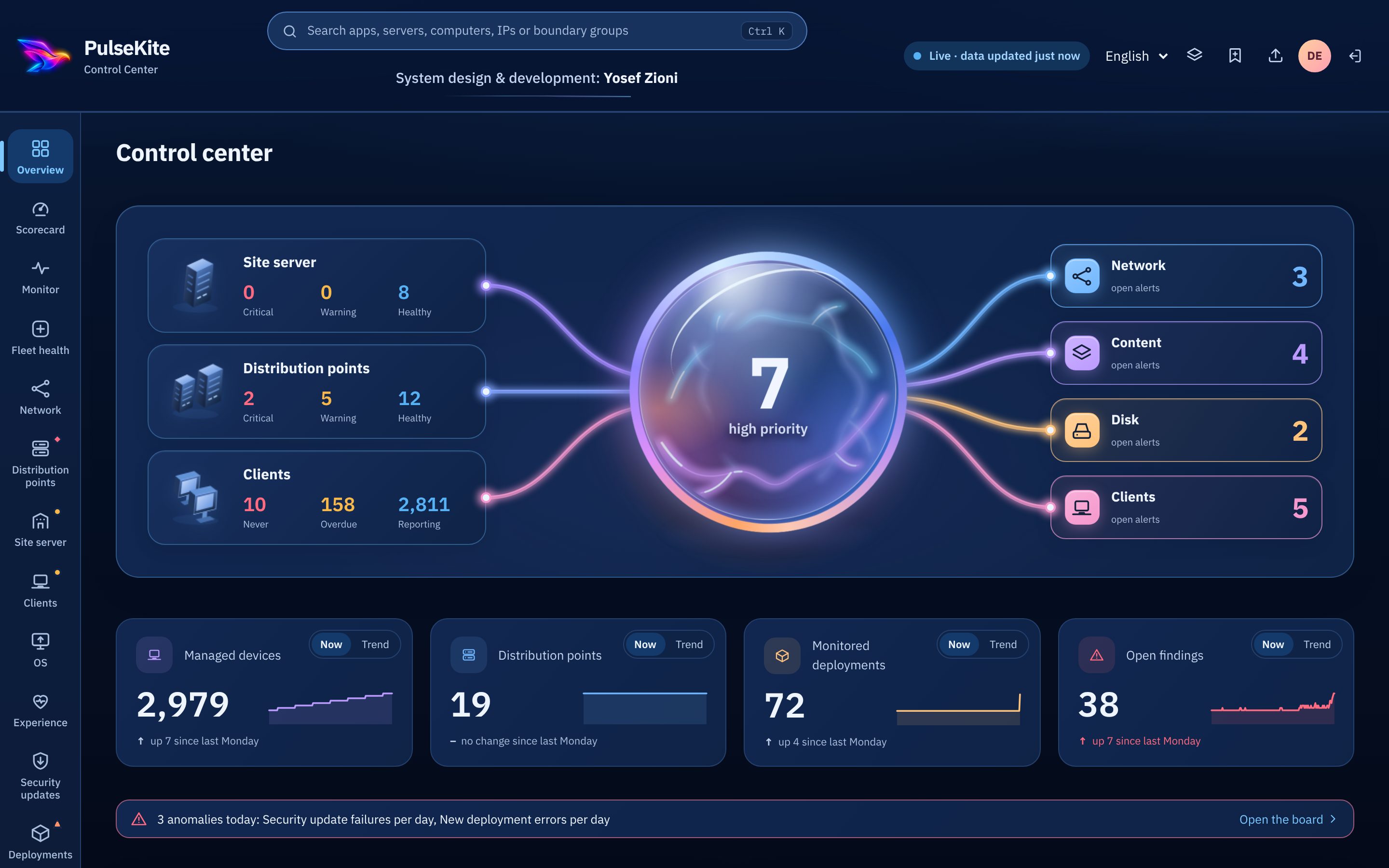
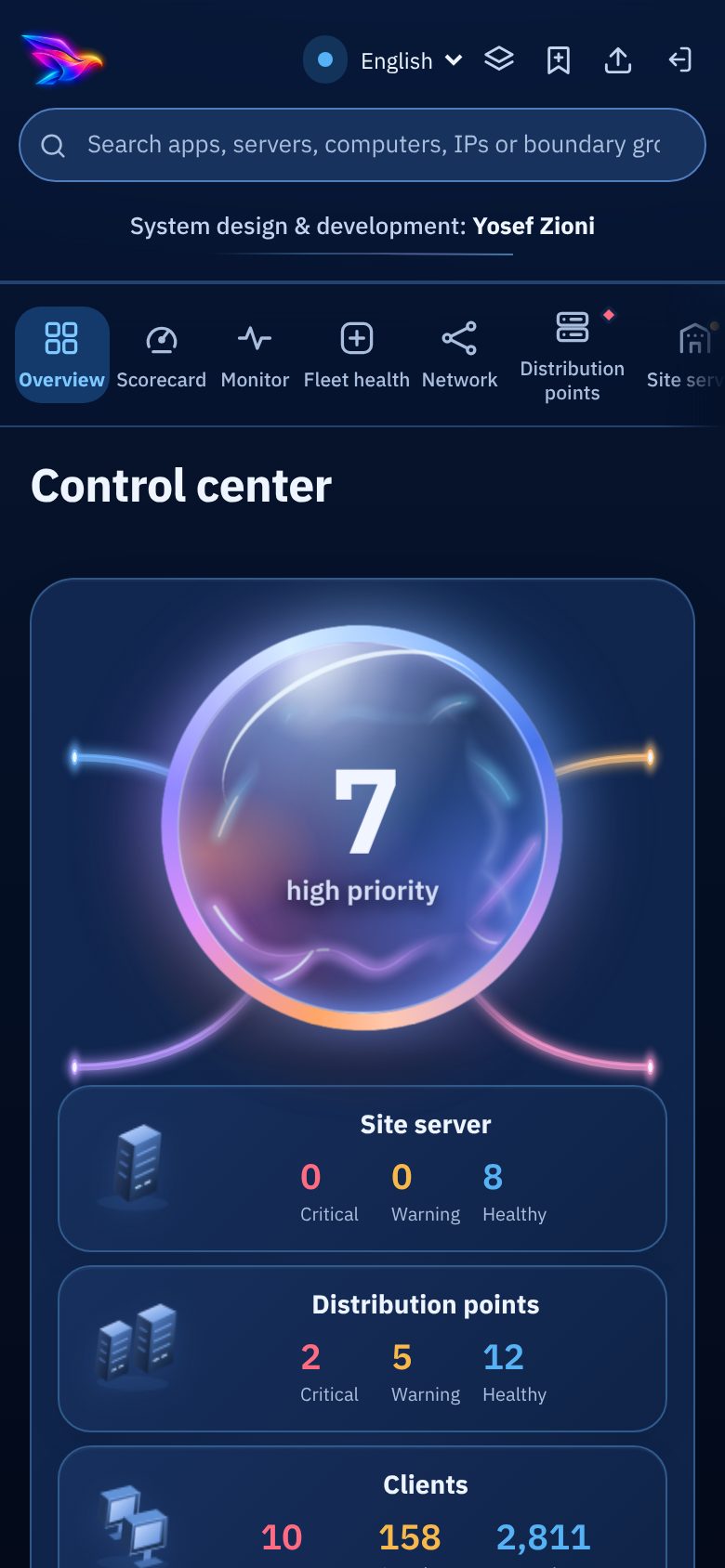
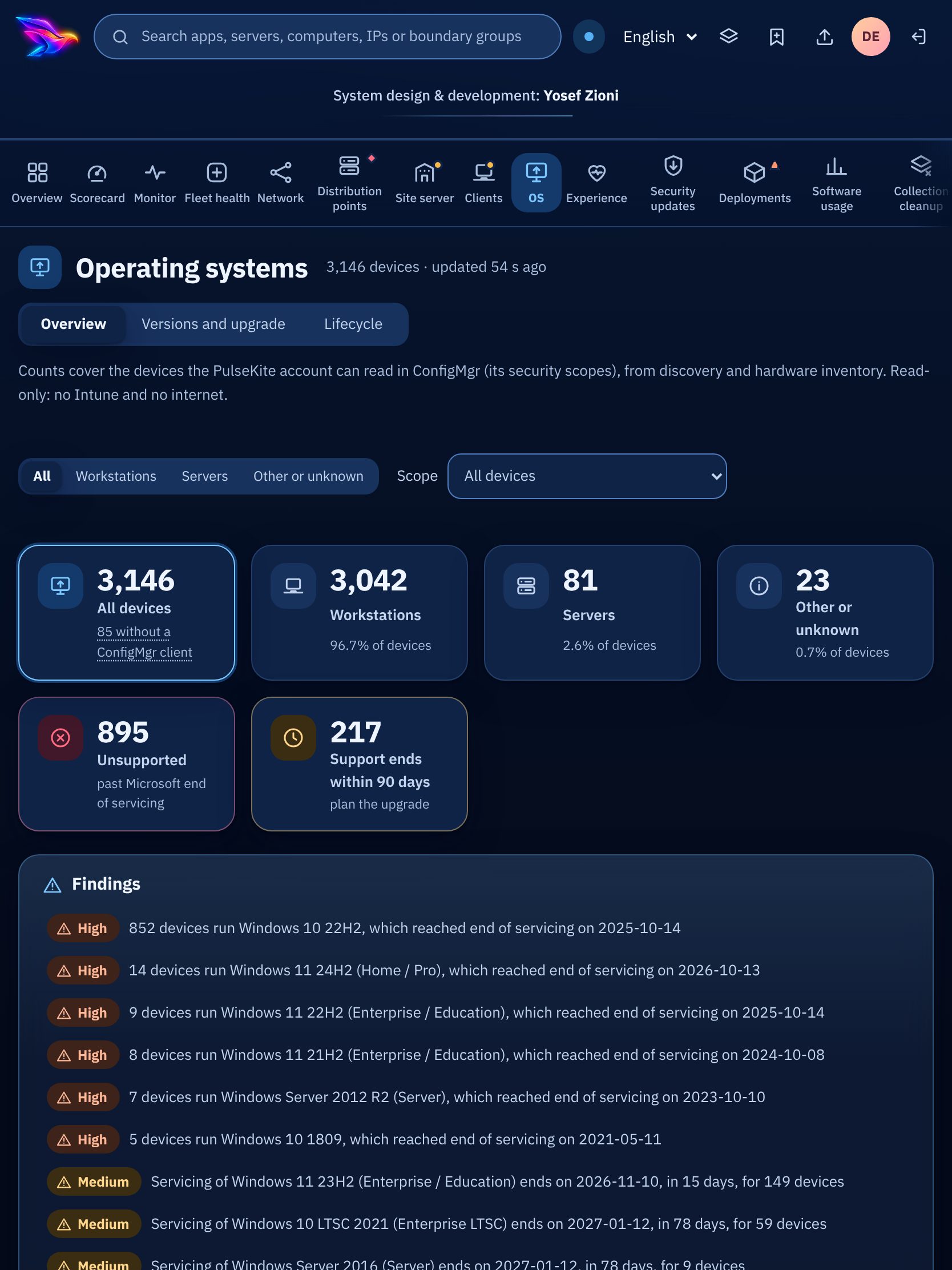
PulseKite reads: clients, distribution points, content, site server, security updates, deployments, collections, operating systems, user experience, software usage, maintenance windows, audit log.
From the overview, through a single device, to this month’s security update plan.
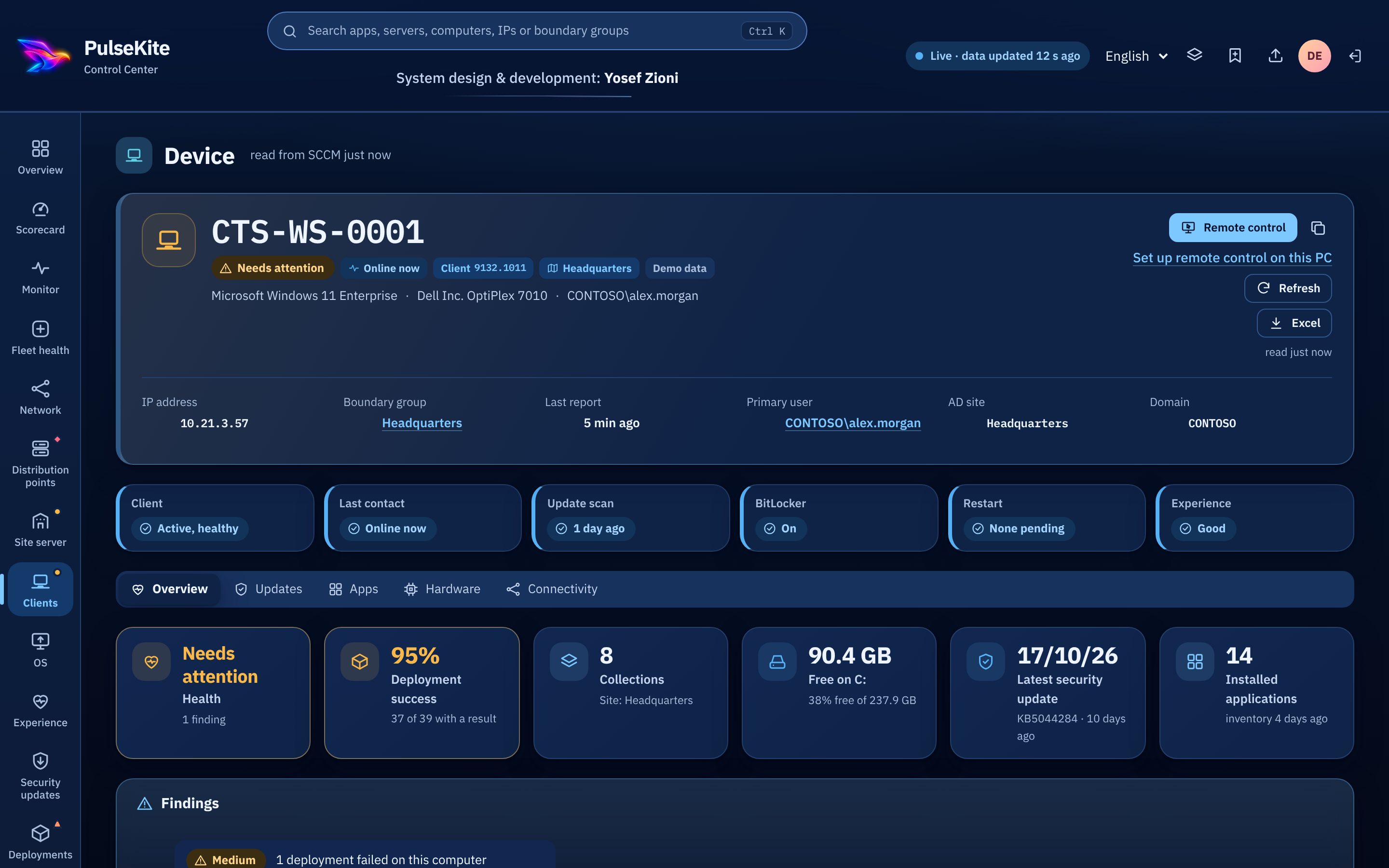
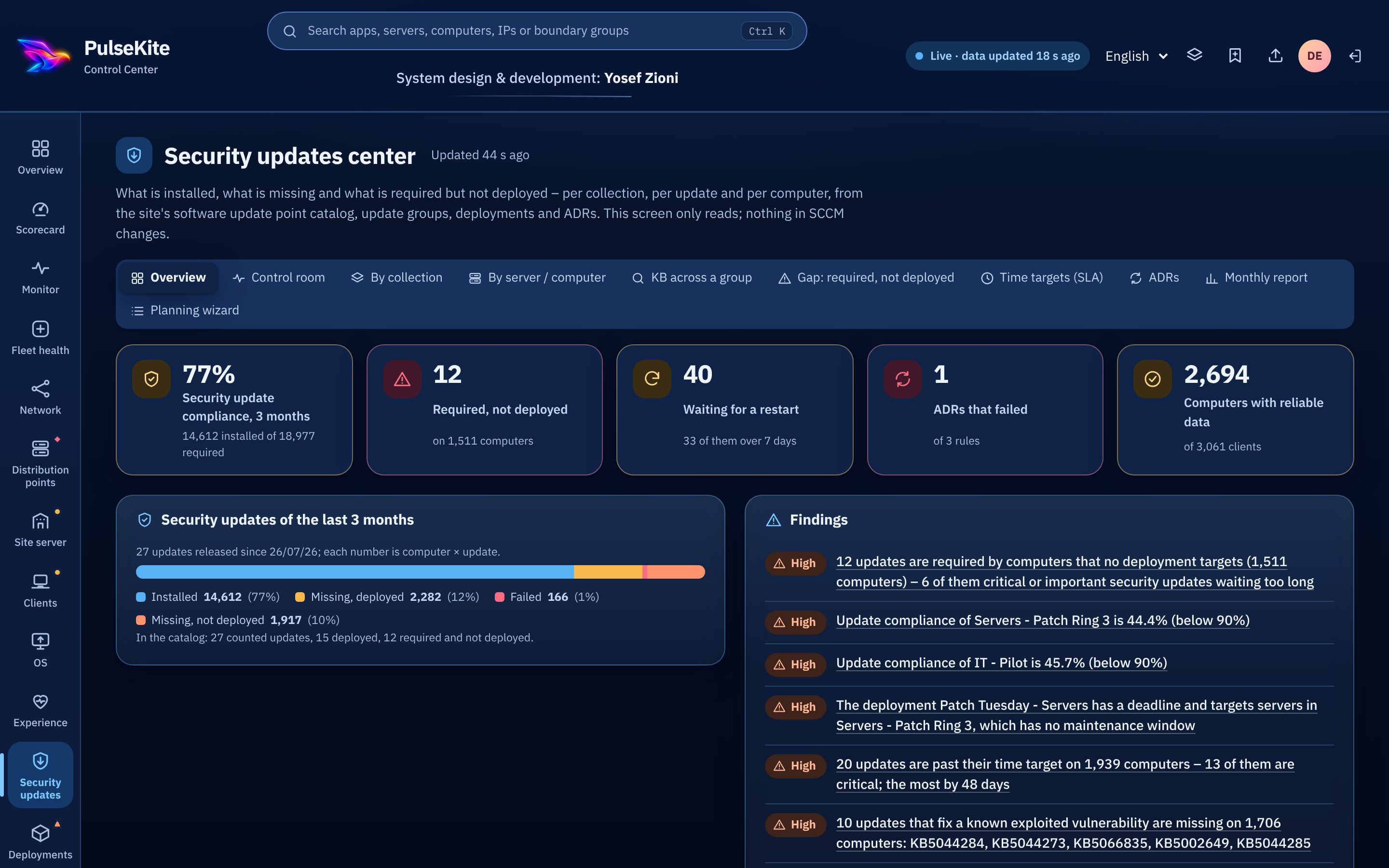
Every data source is marked complete, partial or failed. The last good data stays visible, and no number is ever made up.
Clients, distribution points, content and servers — with findings by severity and a clear reason.
Security, network, hardware, updates, software and a timeline — plus a remote control button that uses your own SCCM rights.
Gaps by KB, ring and maintenance window planning, and controlled execution for authorized admins only.
An experience score for every device, and a list of the devices that slow people down.
Installed software search, software usage, and operating system lifecycle including ESU.
A reports center with Excel export, and an audit log of every action.
PulseKite is read-only. Every write — update planning, execution, AD groups — is off by default, open to authorized admins only, and recorded in a log that can’t be erased.
Desktop for the operations team, tablet for management, phone for the technician in the field.
Screen readers, keyboard navigation, text resizing and respect for reduced motion. Try the accessibility menu in the corner of the screen.
Toward SCCM, PulseKite only reads. A planner’s update plan is a file in PulseKite’s own folder; the one write to SCCM, executing a ready plan, is off by default, limited to the administrators you name, and runs with that administrator’s own ConfigMgr rights. The AD groups feature is opt-in.
On your site server only. No cloud, and no data sent out.
A Configuration Manager site server with .NET Framework 4.6.2 or later — what ConfigMgr already requires. There is nothing else to install.
A signed license for each organization. Request a demo to discuss licensing for your environment.
Yes. The Live demo tab opens the dashboard on fictional Contoso data. It is a static copy: nothing is connected, nothing can be changed, and no action reaches any computer.
One setup file on your site server, read-only, in your own network. We’ll walk you through it on demo data.
We’ll show you PulseKite on demo data and talk about your environment.
Fields marked * are required.